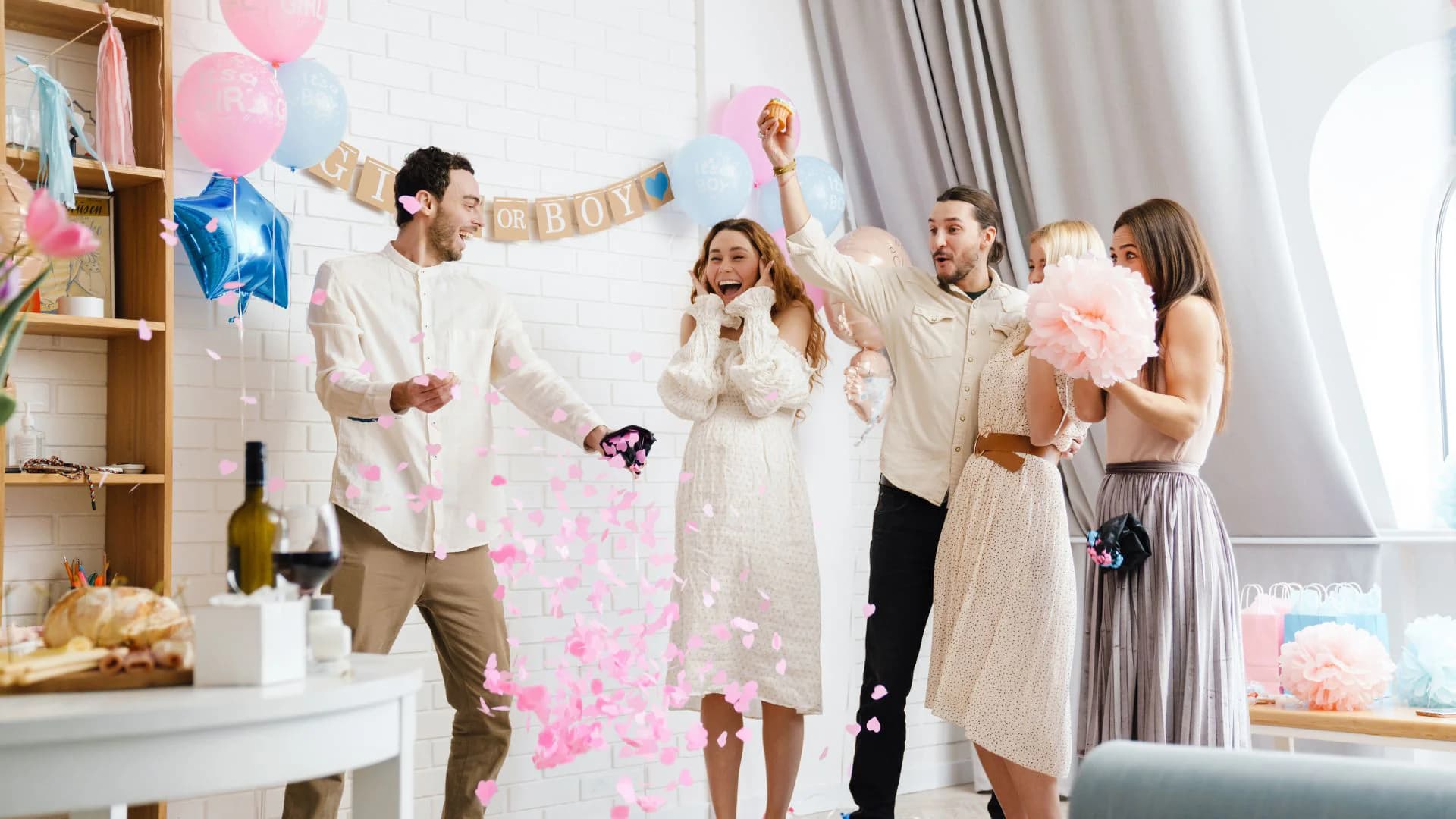
Recording Your Gender Reveal: A Creator's Technical Guide
You get one shot at capturing genuine reactions. No retakes. No do-overs.
The technical side of recording a gender reveal is different from your usual content. You're capturing a real moment that can't be recreated, with emotions that happen once.
Here's how to set yourself up for success.
The Core Challenge
Your normal content workflow doesn't apply here. You can't:
- Retake if the shot was bad
- Ask people to react again
- Fix audio issues after the fact
- Adjust lighting mid-moment
Everything needs to work on the first try. That means planning, testing, and backup systems.
Camera Setup
Primary Camera Placement
For the main reveal shot, you want to capture reactions. People's faces matter more than the reveal mechanism itself.
- Front-facing, capturing everyone's expressions
- Slightly wide to include the full group
- At eye level or slightly above
- Far enough to avoid distortion from wide-angle lenses
- Behind-the-back shots (you miss faces)
- Too close (you'll cut people out when they move)
- Pointing at the reveal item instead of people
Secondary Angles
If you have multiple cameras or phones, use them.
- Side profile of the couple
- The reveal mechanism (balloon pop, confetti, etc.)
- Behind-the-scenes/setup shot
- Phone propped for Stories/TikTok vertical
Stability
Shaky footage can work for "in the moment" authenticity. But you want the option for stable shots.
- Tripod for main camera
- Phone mount for secondary
- Gimbal if you're moving during reveal
- Have someone dedicated to filming (not participating)
Audio: The Overlooked Element
Bad audio ruins emotional content. Gasps, screams, laughter—these reactions are half the content. If they're muffled or distorted, you lose the impact.
The Problem with On-Camera Mics
Camera and phone mics pick up everything. Room echo, background noise, HVAC systems. They also get overloaded by sudden loud noises (like everyone screaming at once).
Better Audio Options
Pre-Reveal Audio Check
Before the moment:
- Do a test recording and listen back
- Check for background noise you've tuned out
- Turn off music until after the reveal
- Close windows if there's street noise
Lighting Setup: Indoor vs. Outdoor
Lighting is the single biggest factor in how professional your footage looks. The good news is that natural light does most of the work for free—you just have to position for it correctly.
Indoor Lighting Setup
Indoor reveals present the most challenges because you're dealing with mixed light sources, low ambient light, and no control over where the sun is.
- A single LED panel or ring light placed behind the camera gives clean, even facial illumination. Avoid ring lights too close—they create obvious circular catchlights that look artificial at close range.
- Two softboxes or LED panels at 45-degree angles on either side of the subjects is the classic three-point setup (with the camera as the third "point"). This eliminates harsh shadows and looks professional without being obvious.
- Avoid relying solely on overhead ceiling lights. They cast downward shadows on faces and make everyone look tired.
- Do a test recording in the exact spot two hours before the reveal
- Watch playback specifically looking at faces—are they well-lit? Any distracting shadows?
- If the room is too dark, add a lamp pointing up toward a white ceiling to bounce soft fill light across the room
Outdoor Lighting Setup
Outdoor reveals give you more control and usually better results, but they come with their own variables.
- Overcast day: This is actually ideal. Cloud cover acts as a giant natural softbox, creating even, shadow-free light across everyone's face. Colors look accurate, no one is squinting.
- Golden hour (one hour before sunset): Warm, directional light that makes everyone look great. Longer shadows, but when positioned correctly, they fall behind people rather than across their faces.
- Open shade: If you're outdoors on a sunny day, position everyone in the shade of a building or tree. The open sky above provides ambient fill without direct sun creating harsh shadows.
- Midday direct sun: Creates harsh shadows under eyes and noses, causes squinting, and blows out highlights on skin
- Mixed conditions: Standing half in sun and half in shade creates exposure problems your camera cannot resolve
- Shooting into the sun: Unless you're deliberately creating a silhouette, position the sun behind the camera or to the side
Camera Angles That Capture Reactions Best
The reveal mechanism matters a lot less than the faces of the people experiencing it. The footage viewers rewatch is always the reaction, not the confetti itself. Build your camera angle strategy around capturing those faces.
Editing Workflow
Don't Over-Edit
The temptation is to make it perfect. Resist. Over-edited reveal content loses authenticity.
- Awkward pauses
- Imperfect reactions
- Background sounds that add context
- The full arc of emotion
- Technical problems (camera adjustments, long silences)
- Truly unflattering moments (check with participants)
- Unrelated conversations before/after
Editing Structure That Works
For a reveal video, a simple three-act structure produces the best results:
Music Considerations
Music can enhance emotion but can also feel manipulative. Consider:
- Using music in intro/outro only
- Keeping the actual reveal moment music-free
- Letting real sounds carry the emotional weight
Platform-Specific Edits
From the same footage, create:
- YouTube: Full narrative cut (5-15 minutes)
- TikTok: Reaction-focused cut (15-60 seconds)
- Instagram Reels: Clean, shareable version (30-90 seconds)
- Stories: Behind-the-scenes moments
Backup Recording Setup
Redundancy is the only insurance that actually works when you get one chance at a moment.
- Check storage on every device before the reveal
- Clear cards and phones down to at least 5GB free
- Bring a spare SD card and spare phone if possible
- Never use a memory card that has failed or behaved erratically before
- Charge all devices to 100% the night before
- Do not use power banks that require the phone to stay unlocked (the screen turns off and recording stops)
- Know your device's recording limit: some cameras stop after 30 minutes due to file size limits or overheating
Live Streaming Setup for Virtual Reveals
If part of your audience will watch the reveal remotely—through a livestream or a synchronized platform like RevealTogether—your technical setup needs one additional layer of consideration.
- YouTube Live: Best for audiences that prefer desktop viewing. Built-in chat, replay saves automatically, no follower threshold required.
- Instagram Live: Best for mobile-first audiences and immediate reactions. Doesn't save replay by default—record your screen if you want to keep it.
- TikTok Live: Requires 1,000 followers minimum. Strong discovery potential for new viewers. Comments move fast.
The Moment Itself
Start Recording Early
Don't wait until "we're about to do it." Start recording during the buildup. The nervous anticipation before the reveal is content too.
Keep Rolling After
Don't stop when the color shows. The reactions continue. The hugs, the phone calls to family members, the processing—keep capturing.
Designate a Videographer
If possible, have someone whose only job is filming. Not filming while also participating. They can move, adjust, and catch moments you'd miss if you're in the reveal.
Equipment Checklist
Minimum Setup
- One camera/phone on tripod
- External audio (even phone as backup)
- Charged batteries
- Empty memory cards
- Good lighting (natural or prepared)
Better Setup
- Two cameras/phones
- Lavalier mics for key participants
- External audio recorder
- Backup batteries
- Ring light or soft lighting
- Designated videographer
Professional Setup
- Multiple camera angles
- Professional audio setup
- Lighting kit
- Multiple backup options
- Dedicated capture team
Final Thoughts
The best technical setup is one you trust completely—so you can forget about it and be present in the moment.
Test everything. Then test again. When the reveal happens, you should be focused on the experience, not worried about whether the camera is rolling.
That's when you capture something real.