Zoom Gender Reveal
Transform your Zoom call into an unforgettable gender reveal. Screen share the magic with family and friends worldwide.
Only $12.99 - Perfect for video calls
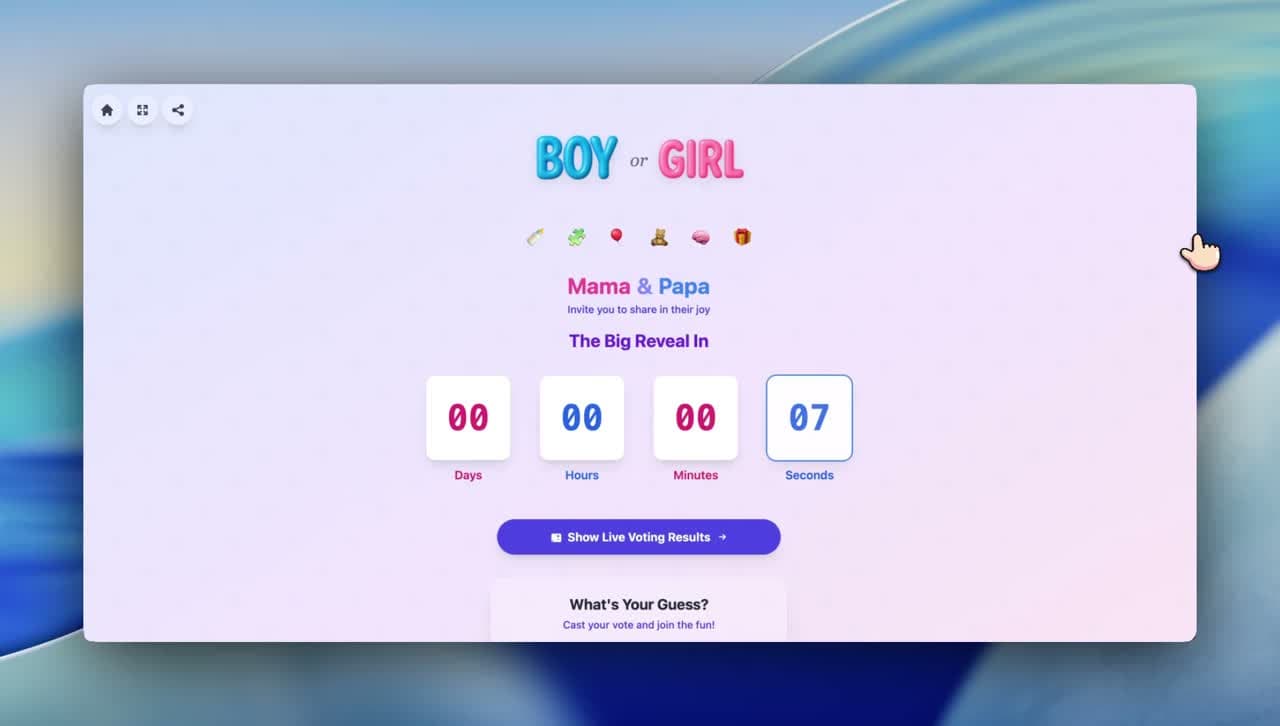
Key Features
Why a Zoom Reveal?
Transform your Zoom call into an unforgettable gender reveal. Screen share the magic with family and friends worldwide.
See All Reactions
Watch everyone's faces in their video windows as the reveal happens—priceless moments captured.
Who do you think it is?
58 guests voted
Works Globally
Connect family members across time zones and continents with one simple Zoom link.
Interactive Chat
Guests can react, cheer, and celebrate in real-time through Zoom's features.
one-time · no subscription
How It Works
How Zoom Reveals Work
Create Your Reveal
Set up your reveal and get your unique link.
Schedule Your Zoom
Create a Zoom meeting and invite your guests.
Share Your Screen
When it's time, share the RevealTogether countdown.
Watch & Record
Experience the reveal together while seeing everyone's reactions!
What is a Zoom Gender Reveal?
A Zoom gender reveal pairs the video connection you already have with a synchronized reveal that ensures every guest sees the announcement at the exact same second. Start a Zoom meeting with family and friends, share your RevealTogether link in the chat, and watch their live reactions as the gender appears on every screen simultaneously — each person's own device, zero screen-share lag.
The key difference from a simple screen share: RevealTogether sends each guest their own synchronized link, so every device runs its own countdown independently. No lag, no one seeing the reveal a second early, no broken shared moment. The Zoom call stays open for audio and video reactions while each guest's screen shows the reveal in perfect synchrony.
For an even bigger experience, combine this with a live gender reveal format where the countdown runs while everyone is on the call together. Pair with a full online party for a structured event with games, reactions, and a memorable shared moment that video calls alone cannot create.
Start your reveal today
- Unlimited guests — invite everyone
- Works on any device, no download
- Live voting + synchronized countdown
- Setup in 3 minutes
Only $12.99 - Perfect for video calls
Reviews
What families are saying
“We had 45 people on our Zoom call and Reveal Together running on everyone's second screen. When the countdown hit zero — the Zoom reactions were absolute chaos. We had to mute everyone it was so loud.”
Kate & Matt
Boston, USA · Zoom party host
“I was worried about lag between Zoom and the reveal timer. There was none. Everyone on the call saw it at the same moment. My mother-in-law held up her phone to the camera when she saw it was a girl.”
Sophie & Luc
Montreal, Canada · Zoom reveal
“Zoom gender reveal done right — Reveal Together open while on the video call. The synchronization is what made it work. No one had to wait, no one found out early. Absolutely perfect.”
Rachel & David
London, UK · Zoom party
Common Questions
Zoom Reveal FAQs
How do I share the reveal on Zoom?
Drop the RevealTogether link into the Zoom chat so every guest opens their own version simultaneously. If you prefer screen sharing, click "Share Screen" and select the RevealTogether browser tab — but be aware that screen sharing introduces 1–3 seconds of lag for some guests, which breaks the synchronized moment. The individual-link method eliminates this entirely and is the recommended approach.
Can I see reactions while sharing?
Screen share introduces 1–3 seconds of audio-visual lag for some participants, meaning certain guests will see the reveal before others. This defeats the purpose of a synchronized reveal. Sending each guest a personal RevealTogether link solves this — every screen runs its own countdown while the Zoom call provides the shared audio and video layer for reactions.
Should I record the Zoom call?
Unlimited guests can open a RevealTogether link simultaneously. Zoom's capacity depends on your plan: the free tier allows 100 video participants, while paid plans scale to 500 or more. For the reveal itself, we recommend keeping the video call to close family and friends and sharing the RevealTogether link more broadly to include everyone without Zoom capacity limits.
Does this work with other video apps?
Start the Zoom meeting 10 minutes before the scheduled countdown time. Run a quick prediction poll or a "Boy or Girl?" question to warm up the group. At the reveal time, ask everyone to open their RevealTogether link simultaneously. The countdown runs, the reveal fires on every screen at once, and the Zoom video grid captures every genuine reaction in the most memorable format possible.
What if some guests don't have Zoom?
Yes. RevealTogether works in mobile browsers on iOS and Android. Guests can keep the Zoom app open on one screen and the RevealTogether link in a browser tab on the same phone. Many guests use split-screen on tablets to watch both simultaneously — the Zoom call for reactions and the RevealTogether page for the synchronized countdown.
Ready for Your Zoom Reveal?
Turn your video call into an unforgettable celebration with family and friends.
Only $12.99 - Perfect for video calls
Free Pregnancy Resources
No signup required — free tools for expecting parents